Fake tech support scams remain one of the most effective ways criminals reach older adults. The scripts have evolved, but the core pattern has not. Someone creates fear that a computer or account is in trouble, then offers to fix it—usually by taking remote control of the device or collecting payment.
These scams cost older Americans hundreds of millions of dollars every year. The average loss is high enough to disrupt retirement savings. The good news is that most of the damage is preventable with a handful of clear rules and a few practical setup changes.
How These Scams Usually Work in 2026
The entry points have expanded beyond the classic full-screen browser lock.
Common starting points include:
A pop-up that claims the computer is infected or locked and displays a phone number in large text
An unsolicited phone call claiming to be from Microsoft, Apple, Norton, Geek Squad, or a bank’s fraud department
Sponsored search results or fake help pages that appear when someone searches for a real error message
Emails or texts about a subscription renewal or refund that the person does not remember

Once the older adult is on the phone, the scammer’s goal is almost always the same: persuade them to install remote-access software (AnyDesk, TeamViewer, Microsoft Quick Assist, or similar) or to send money via gift cards, wire transfer, or payment apps.
Remote access is the most dangerous step. With control of the computer the scammer can view saved passwords, banking sites, email, and files. Even if no money changes hands on the first call, the access itself creates ongoing risk.
A newer variation involves a claimed refund. The scammer says a previous payment was too high and needs to be corrected, then walks the victim through a process that actually moves money out of the account.
Microsoft, Apple, Google, and legitimate antivirus companies do not monitor individual home computers and then call or display pop-up phone numbers. They do not request remote access out of the blue. Any contact that begins this way is fraudulent.
Practical Steps That Reduce the Risk
The most effective protection combines a clear family agreement with a few technical barriers.
1. Establish one non-negotiable rule
Agree on a single sentence both of you can remember:
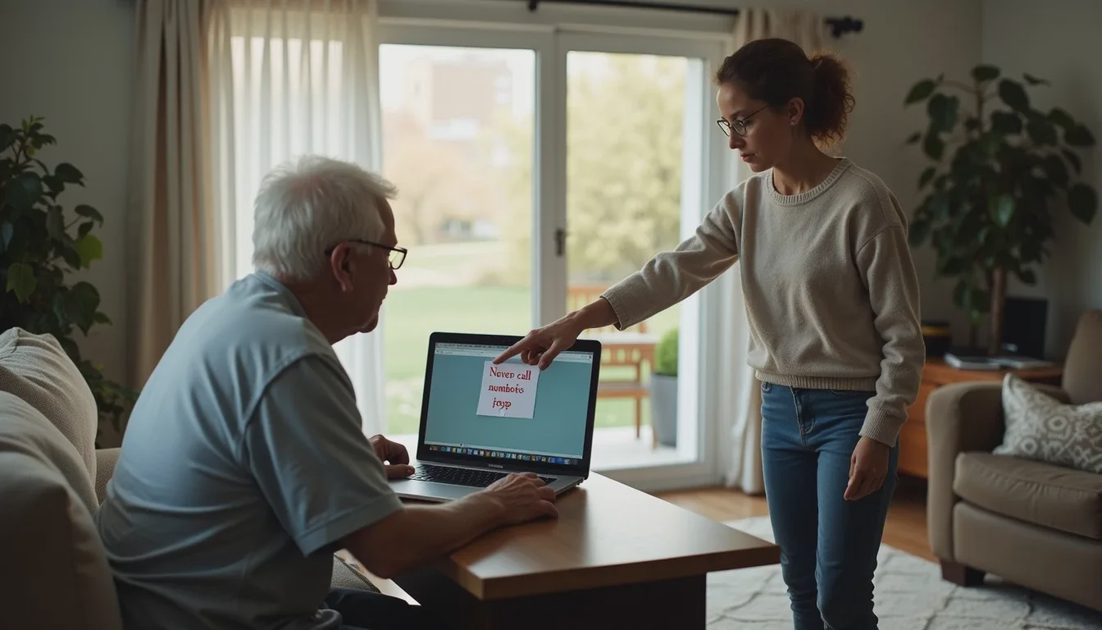
“If a pop-up or stranger asks me to call a number or give remote access, I hang up and call you first.”
Write it on a sticky note and put it where it will be seen—on the monitor bezel, next to the keyboard, or on the desk. The physical reminder helps when urgency and fear kick in.
A secondary rule is equally useful: never buy gift cards or send money because someone on the phone claims it is required to “secure” an account or “pay a fine.”
2. Reduce the chance of the first contact
Several simple changes cut off common entry points:
Keep the browser and operating system updated. Many pop-up scams rely on older software.
Use a reputable ad blocker or the browser’s built-in protections. This reduces the number of malicious ads that trigger fake warnings.
Consider a call-screening feature on the phone. Many modern smartphones and carrier services can silence or announce unknown callers. Some AI-based screening tools evaluate the conversation in real time and block likely scam attempts before the phone rings.
Disable or restrict remote-access tools that are not needed. If Microsoft Quick Assist or similar programs are installed, review the settings so they cannot be activated without clear confirmation.
For parents who mainly use email and browsing, a more locked-down browser profile or a separate limited user account on the computer can limit damage if something does get through.
3. Practice the response together
Role-play once or twice. Have the older adult practice saying “I need to check with my son/daughter first” and hanging up. The goal is to make the safe action automatic when stress is high.
Agree on a simple verification method. If someone claims to be from a bank or tech company, the parent should hang up and call the number on the back of their debit card or the official website—never a number supplied in the call or pop-up.
4. Review accounts and devices periodically
When you visit or talk by phone, glance at recent call history, browser history, and installed programs. Look for unfamiliar remote-access software or unexpected browser extensions. Check bank and credit-card statements for small test charges that sometimes precede larger theft.
If the parent uses a password manager, confirm that the master password is known only to them and to one trusted family member.

What to Do If a Scam Has Already Happened
Speed matters.
If remote access was granted, disconnect the computer from the internet immediately (unplug the Ethernet cable or turn off Wi-Fi). Change important passwords from a different, clean device.
Contact the bank or credit-card company right away and explain that the account may have been compromised through a tech-support scam. Ask about freezing accounts or reversing recent transfers.
Report the incident to the Federal Trade Commission at ReportFraud.ftc.gov and to the FBI’s Internet Crime Complaint Center (ic3.gov). These reports help track patterns even when money cannot be recovered.
Run a full malware scan with a trusted tool once the machine is isolated, or take it to a reputable local technician.
Recovery of funds is often difficult, especially with gift cards or wires. The priority is stopping further access and protecting remaining accounts.
A Realistic Mindset
These scams succeed because they create urgency and exploit the natural desire to fix a problem quickly. Older adults are not uniquely careless; they are targeted because the tactics work on anyone who is momentarily frightened or unsure.
The combination of a clear family rule, reduced exposure to pop-ups and unknown callers, and regular check-ins removes most of the opportunity. The goal is not perfect technical knowledge. The goal is a simple, repeatable response that keeps remote access and irreversible payments from happening in the first place.
Talk about it before the next pop-up appears. That conversation is the highest-leverage step most families can take.