
When the person who manages the household devices is not deeply technical, the interface becomes as important as the protection scores. A product that is powerful on paper but confusing in practice often ends up ignored, disabled, or the source of repeated help calls. TotalAV and Norton 360 both protect the major platforms and both earn competitive independent lab results. They differ in how much they ask of the user.
This comparison focuses on that difference: which product is easier for a non-technical parent, an adult child helping a parent, or anyone who simply wants security software that stays out of the way until it is needed.
First Impressions and Daily Interface
TotalAV’s design prioritizes clarity. The main dashboard surfaces a small number of primary actions—scan, web protection status, and system cleanup—without surrounding them with secondary modules. Status indicators are large and readable. Many features include short plain-language explanations. For someone who opens the program only occasionally, the path from “I want to check if everything is okay” to a clear answer is short.

Norton 360 presents a more complete security center. Protection, VPN, backup, dark-web monitoring, parental controls, and other tools are available from the main interface or linked utilities. The layout has improved over earlier versions and includes guided elements, yet the sheer number of options creates more visual and decision density. Users who want to explore every feature will find them; users who mainly want to confirm that protection is on may need an extra moment to orient themselves.
Both products install without unusual difficulty. TotalAV’s simpler feature set generally produces fewer prompts and fewer secondary windows during normal use. Norton’s broader toolkit sometimes opens additional panels or web-based consoles for certain functions, which can interrupt the sense of a single, contained application.
Setup and Ongoing Management for Non-Experts
A non-technical user benefits from defaults that leave the device protected without further configuration. Both products largely achieve this. Real-time protection activates during installation, and the main status screen shows whether the system is covered.
Where the experience diverges is in day-to-day maintenance and troubleshooting. TotalAV’s cleanup tools give immediate, visible feedback—temporary files removed, browser clutter reduced—that helps a user feel the software is doing something concrete. That feedback loop is useful for people who are not comfortable interpreting more abstract security metrics.
Norton provides deeper reporting and more configuration options. Those options are valuable when a household needs parental controls, detailed activity monitoring, or identity-related features. They also increase the chance that a less experienced user will encounter settings or alerts they do not fully understand. Norton’s parental-control tools are more mature than anything TotalAV currently offers, which matters for families with children. The same depth that makes parental controls useful can make the overall product feel heavier for a household that does not need them.
Alert language and frequency also affect perceived ease. Clear, infrequent alerts that explain the next step reduce anxiety. Frequent or technical alerts increase it. In practice, both products can generate notifications; TotalAV’s more limited scope tends to produce fewer of them under ordinary use.
Feature Breadth Versus Cognitive Load
Norton 360 is the more complete suite. Unlimited VPN on higher plans, cloud backup, dark-web monitoring, scam-detection features, and parental controls expand its usefulness beyond basic malware protection. For a household that will actually use several of those tools, the extra capability justifies the denser interface.
TotalAV concentrates on core antivirus, web shielding, and system optimization. The VPN and password manager appear on higher tiers and function adequately for basic needs. The absence of a traditional firewall and the lighter parental-control options are real limitations for some users. The compensating advantage is reduced cognitive load: fewer menus, fewer decisions, and a clearer primary path.

Device limits follow a similar pattern. TotalAV caps coverage (typically eight devices on the top plan). Norton’s higher plans cover five or ten devices depending on the tier, with some LifeLock bundles extending further. Households that stay within TotalAV’s limit gain simplicity; households that exceed it need Norton’s higher device counts or another unlimited option.
Pricing and the Long-Term Experience
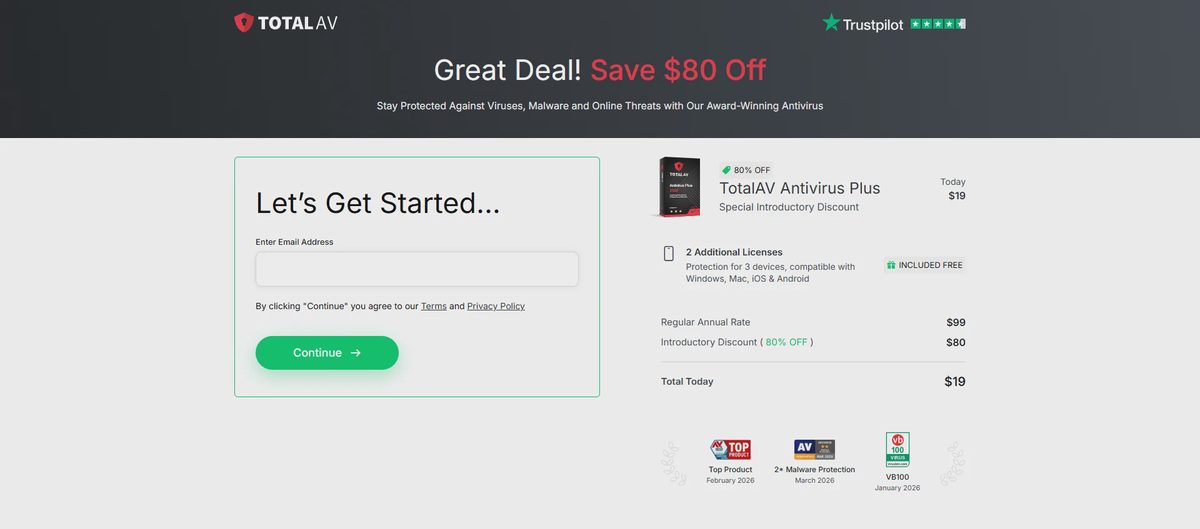
Introductory pricing usually favors TotalAV. First-year offers commonly start lower than Norton’s equivalent tiers. Both companies raise prices substantially at renewal. Norton’s 60-day money-back window is longer than TotalAV’s typical 30-day period, which gives more time to evaluate the product under real use.
For a non-technical user the pricing experience includes more than the number on the checkout page. Clear renewal terms, easy cancellation, and minimal upselling inside the application all reduce friction. Both products have drawn user complaints about renewal surprises and cancellation steps. The practical advice remains the same: record the renewal date, understand the post-promotional price, and decide deliberately whether to continue.
Which Is Easier in Practice
TotalAV is generally easier for non-technical users who want straightforward protection and cleanup without managing a large feature set. The interface stays readable, primary actions are obvious, and the software asks less of the person who only opens it occasionally. It is a strong fit for households that value simplicity and are comfortable with the device limit and the need to watch renewal pricing.
Norton 360 is easier for users who specifically need its broader tools—especially parental controls—and are willing to navigate a more complete interface to get them. The product is capable and well-supported; it simply presents more information and more choices. Households that will use the extra modules often find the density worthwhile. Households that will not may experience it as unnecessary complexity.
The deciding question is not which product has the higher lab score in the latest test cycle. It is which interface the actual person managing the devices can understand and keep running without repeated assistance. For many non-technical users that practical test favors TotalAV’s simpler approach. For families that need parental controls or a wider security toolkit, Norton’s additional capability outweighs the extra interface weight.
Match the product to the person who will live with it every day. Protection that stays enabled and understood is more useful than protection that is powerful on paper but confusing in the living room.