Thunder VPN is a name many parents and older adults encounter while looking for a quick way to protect privacy on public Wi-Fi. My short answer is simple: do not treat any VPN as a magic safety shield. Thunder VPN might help mask a device's IP address, but the important questions are who operates the app, what information it collects, how it earns money, and whether the family can use it without confusion.
A virtual private network creates an encrypted connection between a device and a VPN provider's server. That can make it harder for someone on the same coffee shop, hotel, or airport network to casually inspect traffic. It does not make a person anonymous, stop every scam, remove malware, or prevent a child from visiting an unsafe website. For a household, those limits matter more than a colorful app icon.
What Thunder VPN is supposed to do
Thunder VPN is designed to route internet traffic through a remote server instead of sending it directly from the home or mobile network. In everyday terms, a website may see the VPN server's IP address rather than the household's regular address. The app may also be useful when a family member wants an additional privacy layer while using public Wi-Fi.
That protection depends on the app actually using strong encryption and handling data responsibly. A VPN provider can often see connection details that a coffee shop cannot, so the provider becomes an important trust point. A free service still has operating costs, including servers, maintenance, customer support, and advertising systems. If there is no clear explanation of how those costs are covered, I slow down before installing it.
Thunder VPN should not be confused with antivirus software, parental controls, or identity theft monitoring. It will not scan an iPhone for a malicious attachment, block a teenager from downloading a dangerous app, or recover money sent to a scammer. Families usually need several simple layers rather than one app that claims to solve every problem.
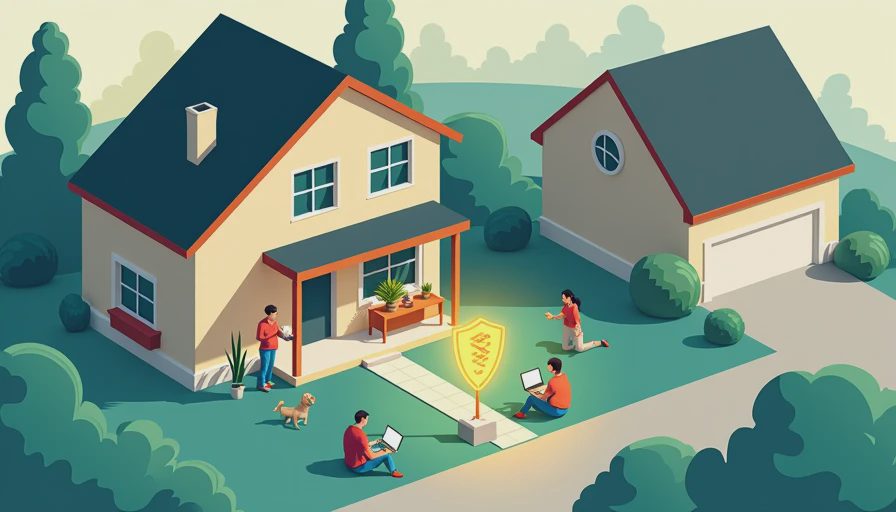
Is Thunder VPN safe for a family device?
Safety is not determined by the word VPN in the name. Before installing Thunder VPN, open the official app-store listing and check the developer name, recent update date, privacy disclosures, permissions, and user reviews. Avoid downloading an APK from a message, pop-up advertisement, random forum, or file-sharing page. A fake copy can look convincing while carrying spyware or aggressive adware.
Look closely at permissions. A VPN app needs permission to create a VPN profile, but it should not need access to unrelated features such as contacts, text messages, a microphone, or a family's photo library. On Android, review the Data safety section. On Apple devices, read the App Privacy information and confirm that the publisher matches the listing you intended to use. These screens are not perfect, but they give a practical starting point.
Also check whether the app clearly identifies its company, support channel, privacy policy, and cancellation process. A service that hides its ownership or uses vague language about collected data deserves extra caution. Reviews can reveal connection problems and intrusive advertising, but they do not prove that a provider has strong privacy practices.
Free VPN warnings parents should understand
Free VPN services are not automatically dangerous, but free pricing changes the tradeoff. Some services use advertisements, paid upgrades, limited server choices, or reduced speeds. Others collect information for analytics or marketing. Read the policy for terms such as browsing activity, device identifiers, approximate location, diagnostic data, and third-party sharing.
Do not assume that incognito mode plus Thunder VPN makes browsing private from everyone. Incognito mode mainly prevents local browser history from being saved after a session. A VPN can hide traffic from some local network observers, but websites still use cookies, account logins, browser settings, and tracking tools. If a child signs into a social media account, the platform still knows who is using that account.
A practical family rule is to avoid entering banking credentials, medical information, or school passwords on a newly installed VPN until its reputation and settings are understood. For financial tasks, a trusted home network and updated device are often a better starting point than rushing to install an unknown free app.
How to check Thunder VPN before installing
Start with the device itself. Update the operating system, turn on automatic app updates, and confirm that screen locks and account passwords are active. Then search for Thunder VPN directly inside the official Google Play Store or Apple App Store rather than following an advertisement. Compare the icon, developer, download history, update activity, and privacy disclosures with the service's official website.
Next, read the privacy policy with a specific goal: find out what is collected, why it is collected, how long it is retained, and whether it is sold or shared. You do not need a law degree to notice missing answers. If the policy says little about connection logs, advertising identifiers, or third-party providers, record that uncertainty instead of ignoring it.
Install only one VPN at a time. Multiple VPN profiles can conflict and create confusing connection behavior. After installation, check the system's VPN settings and learn how to disconnect it. A teenager should know that a VPN can affect school portals, streaming services, printer connections, or video calls. Confusion during homework is a safety problem when nobody knows which setting changed.

Better alternatives for household privacy
For many families, the strongest improvement costs nothing. Use long, unique passwords with a reputable password manager, enable multifactor authentication on email and financial accounts, install operating-system updates, and turn on automatic backups. Those steps address account takeover and data loss, two risks a VPN cannot solve.
If your household wants a paid VPN, compare established services by ownership transparency, independent security reviews, clear policies, customer support, device limits, and cancellation terms. Brands such as Proton VPN, Mullvad, and NordVPN are commonly considered by privacy-focused users, but each has different pricing and features. A paid plan is not automatically trustworthy; it simply gives you more information to evaluate and a clearer business model.
For children, parental-control tools are usually more relevant than Thunder VPN. Apple Screen Time, Google Family Link, Microsoft Family Safety, and router-level controls can help manage schedules, purchases, app downloads, and content exposure. None is perfect, but they match the actual household goal better than changing the apparent location of a device.
A simple family decision process
Ask what problem you are trying to solve. If the concern is unsafe public Wi-Fi, a carefully selected VPN can be one layer. If the concern is a scam text, use spam filtering and teach the family not to open unexpected links. If the concern is excessive screen time, configure parental controls. Matching the tool to the problem prevents wasted money and false confidence.
For Thunder VPN, write down the exact app publisher, permissions, subscription price, renewal date, and cancellation steps before activating a trial. Take a screenshot of the offer. Free trials can become paid subscriptions, and app-store billing may continue until the user cancels it through the correct account settings.
After installation, test ordinary tasks: open a trusted website, check email, make a video call, and disconnect the VPN to compare behavior. If the app creates frequent pop-ups, causes unusual battery drain, slows every connection, or makes it difficult to turn off, remove it. A security product that a tired parent cannot understand is not providing dependable protection.
The practical verdict is that Thunder VPN deserves evaluation, not automatic trust or automatic panic. Verify the publisher, read the privacy terms, limit permissions, and choose a tool that solves the household's real problem. Privacy improves most when a VPN supports basic security habits rather than replacing them.